Wrike Updates March 3, 2026: More Powerful AI Agents, New Gantt Chart & Klaxoon Lifecycle
- Roberto Benanti
- Mar 9
- 2 min read

Updated: Mar 21

TL;DR: AI Agents now understand more context and can perform new actions like setting dates and linking to database records. The New Gantt Chart gains public snapshots, density mode, and detail tooltips. Klaxoon introduces an activity lifecycle setting with automatic closing and deletion. The new AI Agents Library is also now live in the Community.
Feature Updates
AI Agents: Expanded Context and New Actions

Major improvements to AI Agents are now available, making them more context-aware and capable of automating increasingly complex workflows.
What's new:
Smarter context: Agents now read formula fields, inherit custom fields from the parent project, see subtasks and sibling tasks, and perform cross-folder searches.
Date management: Agents can now set and modify start and due dates.
Link-to-Database: Agents select database records by name, automatically populating linked Mirror Fields.
New comment icon to interact directly with Agents within tasks.
Reliability improvements: sub-item processing limits, load spike handling, parallel action execution, and an admin toggle to disable Agents at the organization level.
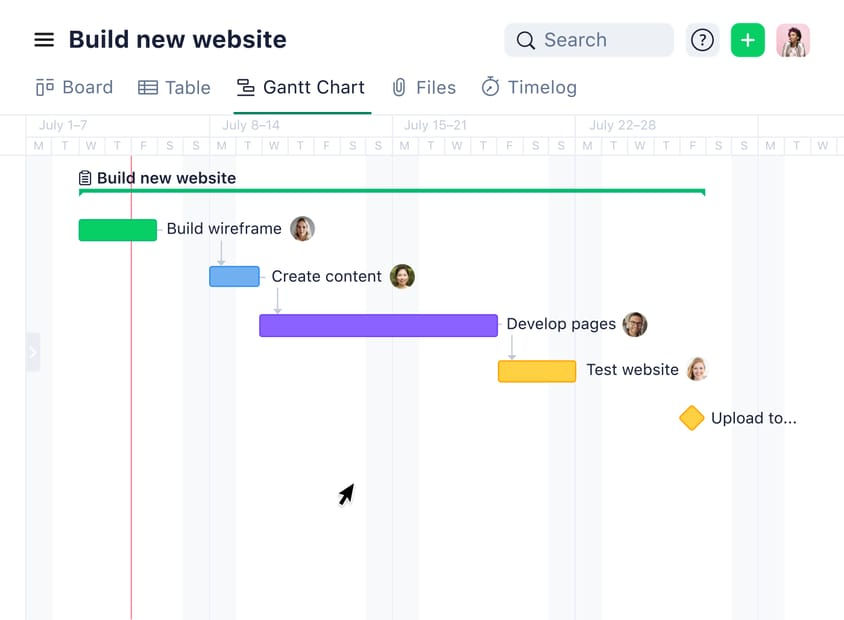
New Gantt Chart: Public Snapshots and More

New improvements to the Gantt Chart, built on the New Table View, with grouping, new filters, and improved performance.
Public Snapshots now available: share a snapshot of your project plan with external stakeholders without granting them access to the project.
Default Density mode for Table View: updated task bars (including milestones), new row view for projects and folders, new rescheduling and dependency endpoints.
Details Tooltip now available: hover over any element to see key information without opening the side panel.
Klaxoon Whiteboard: Admin Activity Lifecycle Setting

Introducing the Activity Lifecycle feature. Admins can now automatically close inactive activities after a chosen period and automatically delete them after 24 months.
What's new:
Auto-close: configurable inactivity period from 1 to 12 months (default 6), with email notifications to users and the ability to reopen.
Auto-delete: activities closed for 24 months are moved to the trash with advance notifications, a recovery window, and an "Expiring" badge with deletion date tooltip.
All actions are logged in the Audit Log. Both options are off by default and can be enabled per team or across the entire organization.
Community News
AI Agents Library: Examples and Use Cases
Wrike has launched a dedicated Community space to explore ready-to-use AI Agent configurations. Latest additions:
▸ Briefing Agent - Target Audience Profiler
▸ Revision Tracker Agent - Track and manage revisions
▸ Stale Task Escalation Agent - Automatically escalate blocked tasks
Measuring Process Efficiency
The Wrike Product team wants to know how admins measure process performance, what success looks like, which metrics they track, and how they use data to make decisions. Join the discussion →
Help Us Shape the New Wrike Community
The Wrike Community has a new look. The team wants your feedback on what you like, what's missing, and what you'd like to see improved. Share your thoughts →
Ready to bring Wrike to your organization?
SBK Solutions is a Wrike partner. We support your implementation, AI Agents configuration, and integration with your existing business tools.
Or read all articles in the Wrike Weekly Releases category on our blog.