
Wrike for Teams Who Have Never Used a PM Tool: Where to Start
- Roberto Benanti
- Apr 16
- 3 min read

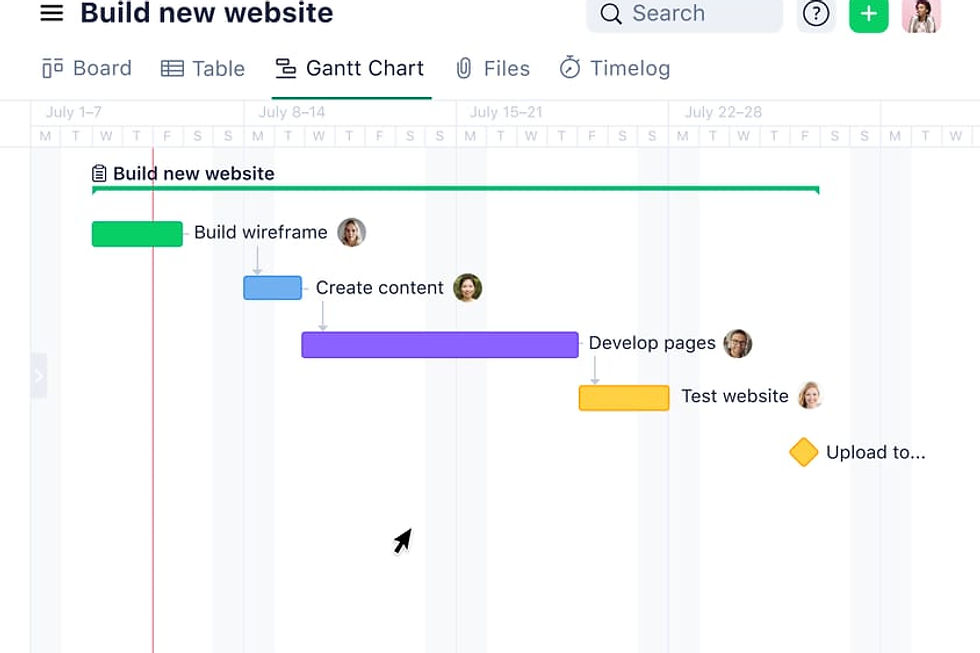
Many Italian SMEs come to Wrike without ever having used a PM tool before. They don't come from Asana or Trello. They come from email, Excel spreadsheets, WhatsApp chats, and weekly meetings that exist mainly to figure out where things stand.
This article is for them. It's not a technical guide on how to configure Wrike. It's an answer to the question we get asked most often in the first weeks of implementation: "Where do we start?"
The problem with "let's put everything in Wrike"
The most common mistake we see in early implementations is trying to move everything into Wrike at once. Every project, every activity, every process. The result is almost always the same: an overloaded system nobody really uses, and a team that returns to email after two weeks.
Wrike is a powerful tool, and its flexibility is also its main complexity. People who have never worked with a PM tool need to learn not just the tool, but a different way of thinking about work: by tasks, by responsibility, by explicit deadlines. That shift doesn't happen in a day.
Our approach: one process at a time
When we support a company starting from scratch with Wrike, the first step is not platform configuration. It's choosing a pilot process: a real project or workflow the team knows well, with enough activities to justify the tool but not so complex that it becomes an obstacle.
Criteria for the ideal pilot process:
• It involves multiple people (at least 3), so the value of shared visibility is immediately apparent.
• It has real deadlines, so the team immediately sees the value of tracking.
• It repeats over time, so the template built has lasting value.
• It's not 100% mission-critical, so there's room to learn without excessive pressure.
In the first 4 weeks, the goal is not to use Wrike perfectly. It's to get the team into the habit of recording work in one place, instead of spreading it across email, chat, and individual memory.
The features to start with (and the ones to leave for later)
Wrike has dozens of features. For beginners, most of them are noise. These are the only ones that matter in the first weeks:
Tasks with assignee and due date. This is the core. Every activity must have one responsible person and one deadline. Without this, Wrike is just a list.
Custom task statuses. In Progress, In Review, Done. Three statuses are often enough to start. Adding more before the team is comfortable creates confusion.
Task comments. Everything that previously went via email or chat now goes as a comment on the task. This is the most important behavioural change, and also the hardest to consolidate.
Leave for month two: automations, custom dashboards, task dependencies, intake forms, blueprints. All valuable features, but they only become useful once the team has already absorbed the basic workflow.
The signal that adoption is working
It's not the number of tasks created. It's not session time on the platform. The most reliable signal is this: when someone on the team, faced with a question about the project, instead of answering from memory or opening an email, opens Wrike.
When this behaviour becomes automatic for the majority of the team, adoption has succeeded. From that point on, adding advanced features becomes natural because the team has already internalised the system.
"The first time a colleague answered my question by sending me the task link instead of explaining everything over WhatsApp, I knew we were heading in the right direction." Operations manager, manufacturing SME.
Evaluating Wrike but not sure where to start?
At SBK Solutions we support companies through the first weeks of Wrike adoption, from choosing the pilot process to training the team. Our goal isn't to configure a tool: it's to make sure it actually gets used.
Or read all articles in the Wrike & Project Management category.

